
Business travel planning for teams, offsites and conferences
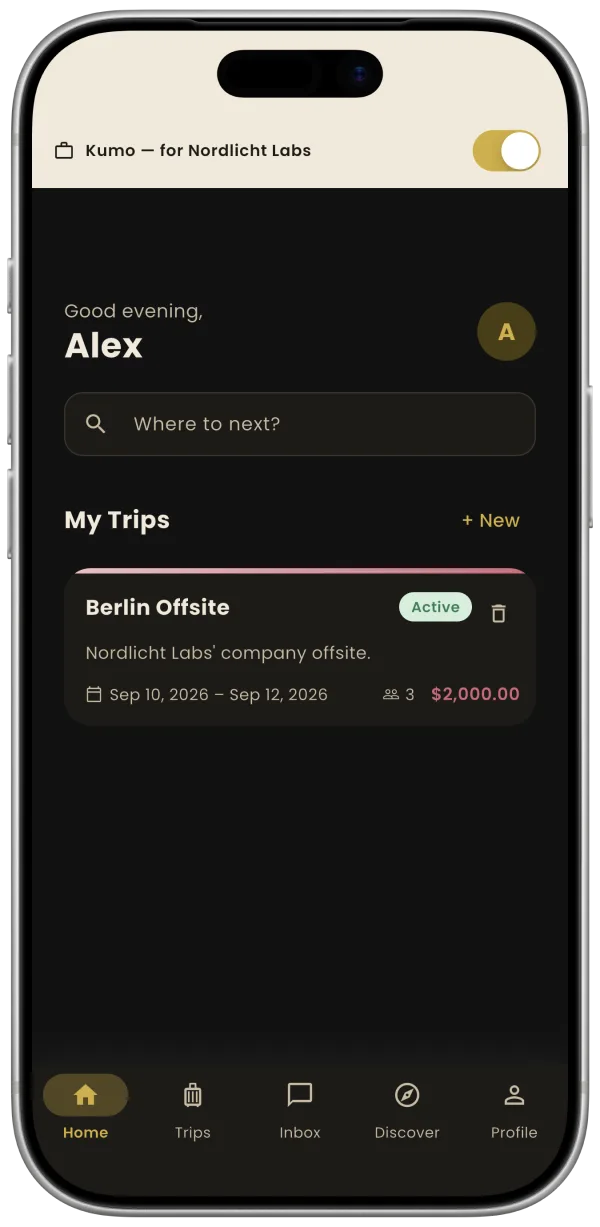
Kumo Work Mode gives your company its own space in the app: its own trips, its own people, and expenses that are reviewed before they count.
A sales conference, planned in Work Mode
Marcus runs travel for his company's annual sales conference. Every expense is tagged by department, small costs clear on their own under a threshold, and the rest land in his approval queue. He sees each company trip's title, dates and submitted spend, not its chat. Alex, on the same team, plans weekends away in Personal Mode on the same account, and one switch keeps the two apart.
Work Mode, one switch away
Work Mode is a separate trip list for your company, in the same app and on the same login. Team members join from the first screen with a link, a QR code or an email invite.
- Company trips kept apart from personal trips
- Its own organisation, members and admins
- Always in the Onyx & Gold theme, so you know which mode you're in
Expense approvals with a threshold
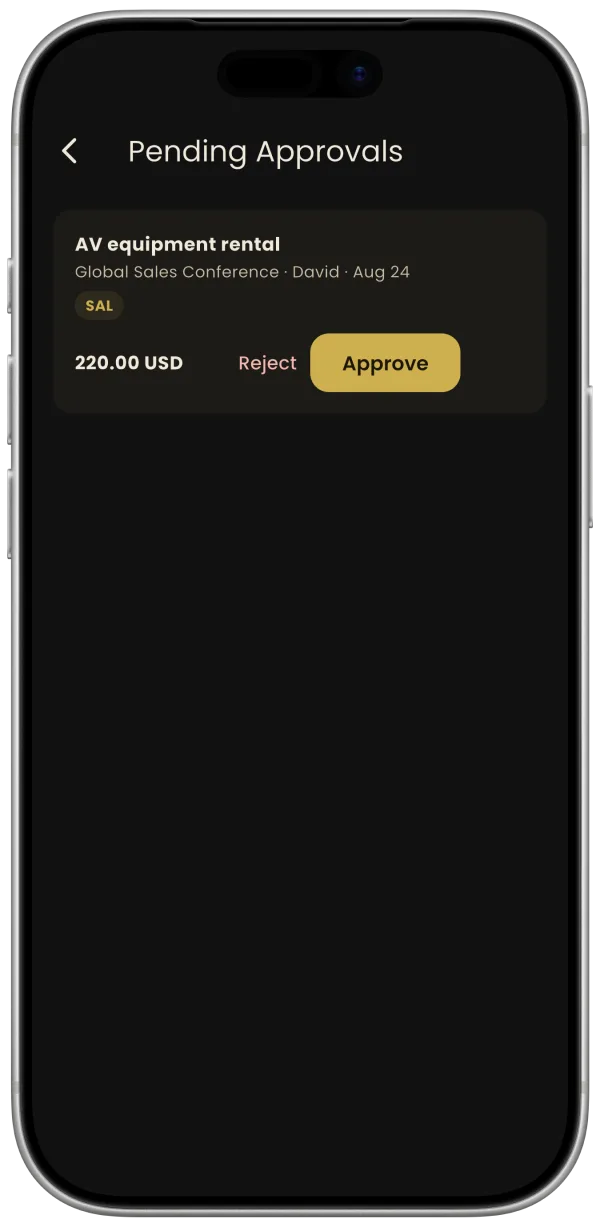
Expenses submitted on a company trip go to an admin approval queue. Set a threshold and anything under it is approved automatically, so admins only review what matters.
- Approve or reject each submitted expense
- A default threshold, with its own threshold per department
- Approved, pending and rejected status on every expense
Cost centres and departments, built in
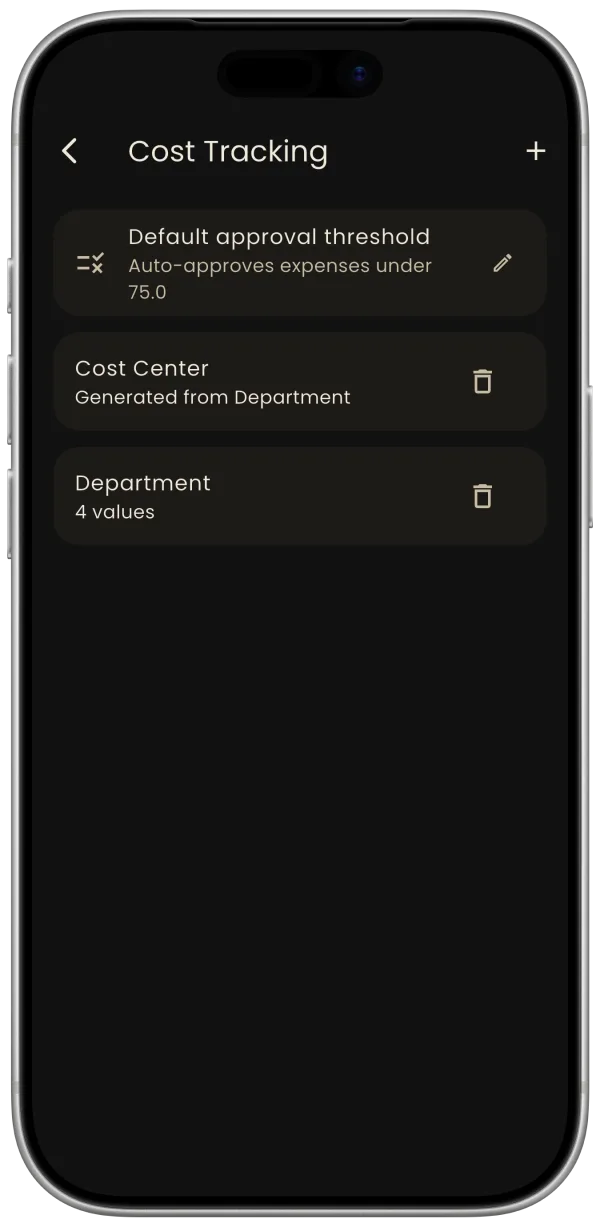
Tag spending by department and Kumo generates the cost-centre code for it, ready for your finance team.
- Departments set up once, by an admin
- Cost-centre codes generated from department
- Codes saved onto approved expenses
Budget and spend at a glance
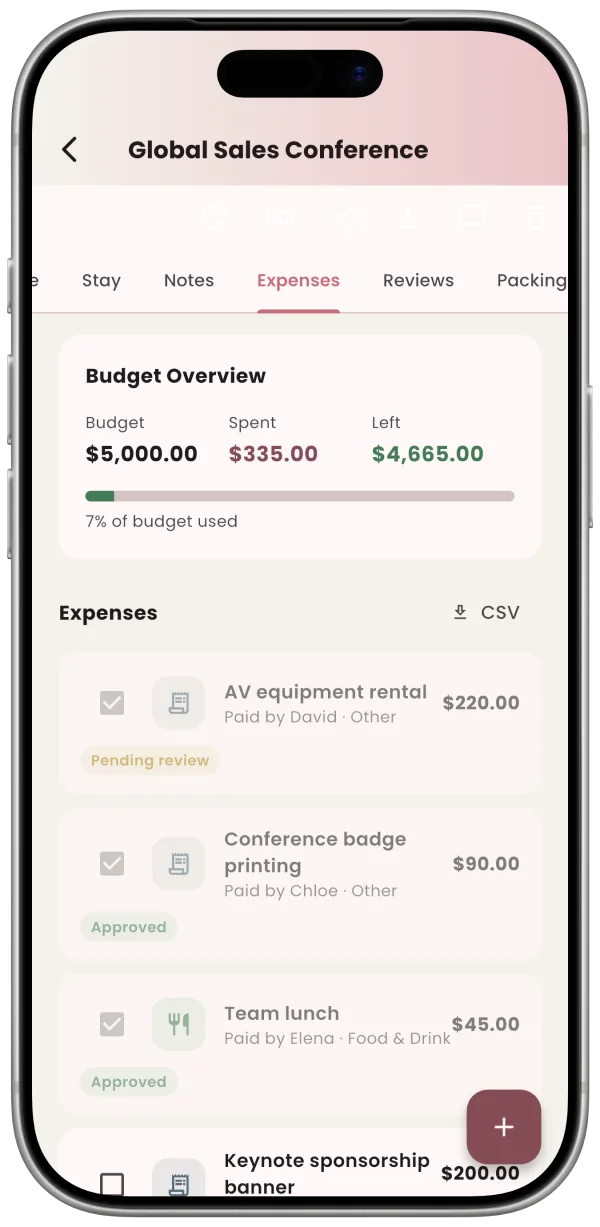
Every company trip shows its budget, spent and remaining in real time, and its expenses export to CSV.
- Live budget for every company trip
- Scan receipts to fill in expenses
- Export a trip's expenses as CSV
Common questions
Do employees need a separate work account?
No. Work Mode runs on the same account as Personal Mode. One switch changes the trips you see; see how Alex uses both.
What can a company admin see?
For a company trip, admins see its title, dates and status, and the expenses submitted for approval. Not its chat.
Can expenses be approved automatically?
Yes. Expenses under the approval threshold clear on their own; the rest go to the admin queue.
Can we export expenses?
Yes. Each trip's expenses export as a CSV file.
Planning a different kind of trip?
Kumo plans any trip in one place. See all eight trip stories.